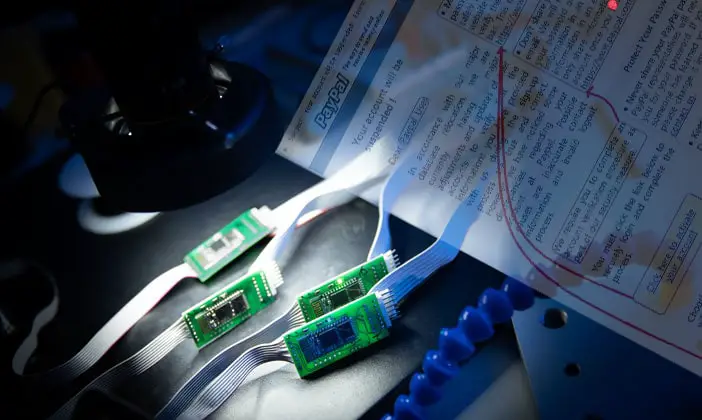

Don’t get suckered into divulging your PayPal login or other personal information that could compromise your PayPal account.
PayPal is a very popular way of paying for and being paid for items sold online.
You might think of it as a sort of online bank. The services PayPal provides make
commerce online easier than it would be without it.
Just load some funds into your account, look around for something to buy and when you find it you can buy it instantly.
The funds required for the purchase are electronically moved from your account to
the seller’s account. Have you thought about what might happen if someone was able to
access your account fraudulently? They’d be able to whisk away your money in the blink
of an eye. Our PayPal tips can help you avoid this bleak scenario and safeguard your account.
PayPal Password Protection
- Don’t share your password with anyone
- Create a password that’s secure. Use a combination of letter, cases, numbers and symbols. Avoid obvious passwords anyone could guess.
- Create a password only used to access your PayPal account. By this we mean don’t use the same password you use for online services like AOL or instant messenger logins. Remember, this is a bank and it’s got your money in it.
- Don’t leave your PayPal password out in the open where anyone can see it.
- Change your password often. Once a month or quarterly at the very least.
Email Phishing & General Security Tips
- PayPal will never send out generic messages with subject lines like: Hello PayPal user. They will always use the first and last name entered into your account or your business name to contact you.
- Watch out for those “Your account has been frozen due to fraud” or similar messages. If you receive an email like this, don’t click a link in it to go to PayPal to enter your personal information. You should be able to remember PayPal’s web address. Just type it in whenever you feel a need to investigate emails like this.
- Don’t download attachments from unknown sources. This is a great way to install a trojan horse program onto your computer. If you do someone could have full access to your computer.
- Don’t share your PayPal account with anyone. If someone asks if they can use your account to transfer money somewhere else ask yourself why they need your help to do this. They might be trying to trick you into helping them launder money which is illegal.
One final tip: Be skeptical of any phone call, letter or email regarding your PayPal account. Someone could call you on the phone pretending to be a PayPal employee working in their security department telling you that your account has been compromised.
All they need is your password or Social Security number to verify they’re speaking to the account holder.
Never give information like this over the phone unless you initiate the call. Even then you’d better be quite sure you know who you’re talking to. Remember, PayPal is a bank and they handle money. Your money.
When in doubt contact PayPal directly by email or phone call.
If you think your account has been compromised in any way, contact PayPal immediately.

I keep getting messages saying they have a brother or relative where I am and want to pay me with paypal and have someone else pick up the item because they are out of the country.
I have a ring I’m trying to sell on craigslist and I get text messages from people that say they want me to ship the ring usually out of the country. They want to pay me via pay pal. I’m very skeptical!
I am getting the same kinds of things for any item I try to sell on Craigslist. My response is cash only sale. Pick up in person we do not ship.
I think your doing the right thing
I’m trying sell a jeep and guy keeps saying he’s stationed overseas and can pay me $10,000 to my paypal and after I get funds he can arrange pickup for a jeep he has not seen in person.. I went talked to my bank and they stated don’t trust pay with PayPal because guy can dispute the charge and money can be returned to buyer then I’m out a vehicle and money . So I messaged guy only certified check or cash and the 3 emails that were quick responses turned to NO RESPONSE back !
I wouldn’t do it sounds like a scam to me
trust your instincts
Buyer has not come to see vehicle I listed on Craigslist for $1,000 but said he is wants to purchase for the asking price. Is asking for my Pay-Pal account for him to send funds to the account. I have not set up a Paypal account he later said he would send a bank check to my address and arrange to pick up vehicle. This does not seem normal.
if it were a certified check he was sending through the bank or mail that would be different. don’t give an account number and you pick up the check yourself and then he can arrange for the vehicle to be picked up
We just put up a nice dining room table up for sale, and almost 1 hour later after we posted it, received a text message saying that they are very interested in the table, but he can’t come pick it up since he’s in military camp. But if I give him my PayPal email address, he can send me the money – since that is the only way he can pay right now – and he’ll send a moving company to come pick it up. Scam or no scam?? I replied already and told him, “Sorry, this is a cash only sale and you must be the one to pick it up.”
Certified checks, cashiers checks and money orders can TOO be bogus…..beware!
Dan Bressler, the same exact thing is happening to me! Dining room set, an hour later, military story. I am about to tell her NO, but I’m so glad I found this site before I just fell for it.
I just received the exact same thing for a dining table. Ahh. I am so glad my husband said it didn’t sound right or I wouldn’t have looked it up. Can I report this to Craigslist?
Yes, you can. I listed a BBQ grill, and half an hour got a “I want to buy this” email via Craigslist reply option. The next msg said he was out of town “for health issues”, would pay via check, his mover would pick up the item, and he needed my name, address, and phone #. Oh, and he’d add $50 for my trouble. Yeah, right… I replied “cash only upon pick-up” and – shock of all shocks – there were no further replies. I went to the bottom of the email string, and there’s a link there (everything was generated by Craigslist, and therefore safe) to report the entire communication. You have an option of reporting is as spam, scam, etc. – just click on “scam.”
In one day I have had six responses from six different people (6 different area codes) wanting to purchase the item I have on Craigslist. Each of them is either out of town, or military, or on assignment and each either wants my name and address so that they can send me a certified check or a cashiers check or they want the email address for my Pay Pal account. This appears to be a very popular scam! It must work often enough that the scammers spend time on it.
Buyer for an item in Craigslist says they are “PayPal verified member”? They’re not asking for my password or anything, just my PayPal account name so they can pay. Is this legit?
Paying by PayPal can be a legitimate form of payment, however it can also be a form of scamming as stated in a reply above. With PayPal a buyer can dispute the purchase and make claims that the seller has to defend, but PayPal will refund the money to buyer and then it is up to the seller to prove legitimacy i order to get paid again. Sellers are always at risk when accepting PayPal. So unless you personally know the buyer to be legitimate, then I would stay away from PayPal.
I received an email today that my PayPal account was charged $499.95 to CRYTOCURRENCY EXCHANGE!!!!! Weird thing!i do not have a PayPal account! this is forBITCoins….How do i stop this????
So for an employer to deposit pay in your paypal what info will they need to deposit the money